Optimize Kitchen
Routing with the
TrackThali Chef App
Streamline cooking times, coordinate order preparation states, and dispatch plates instantly from a robust kitchen display system (KDS).
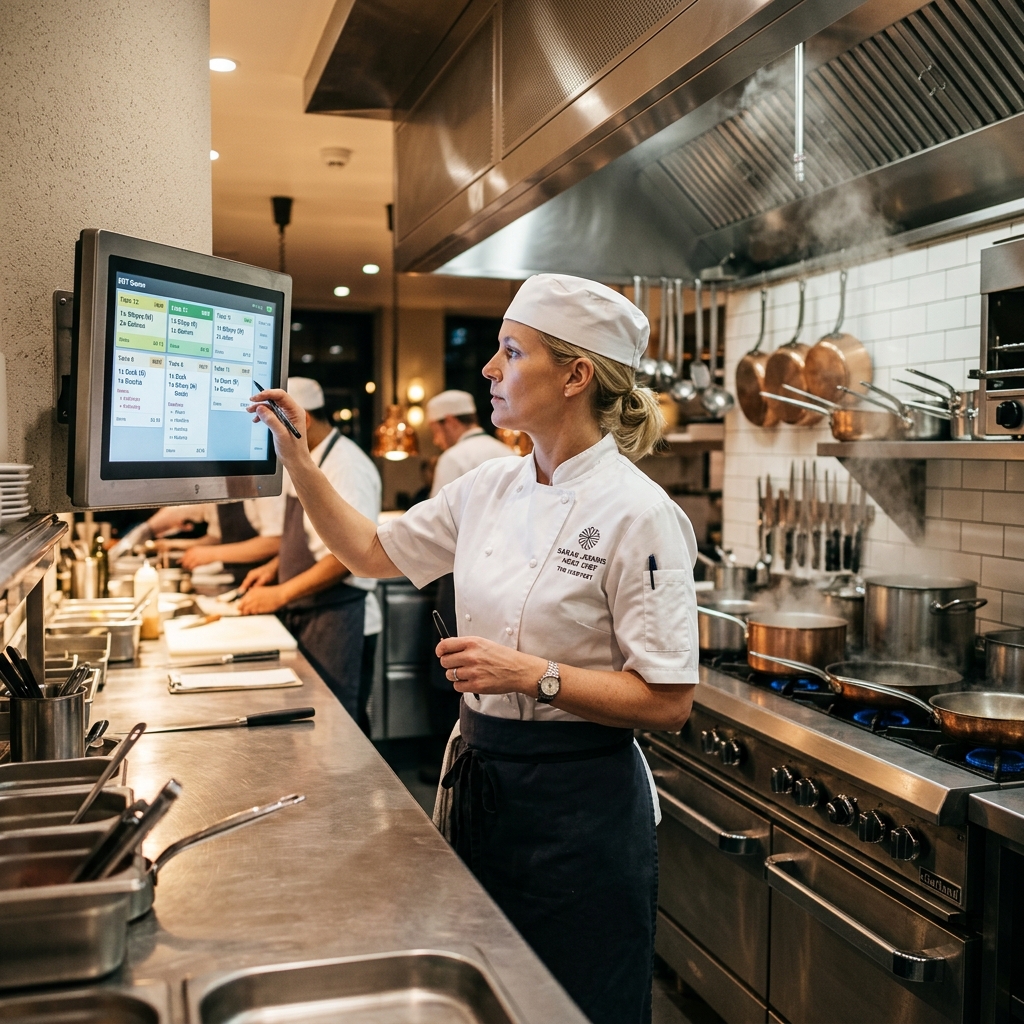
Designed for Kitchen Efficiency
The Chef App is engineered specifically for cooks and kitchen staff to monitor live KOT tickets, organize preparation states, manage priority orders, and alert servers in real time. Our digital interface reduces kitchen noise, prevents ticket loss delays, and boosts service speed while maintaining dish preparation accuracy.
Ticket Routing
Incoming KOTs print at station displays instantly without waiter floor coordination lag.
Order Accuracy
Detailed preparation notes and custom modifiers prevent kitchen dish preparation mistakes.
Speed Increase
Color-coded urgency alerts show delayed table orders to organize cooking sequences.
Active Modules
Kitchen queues, priority managers, ready alerts, and menu stock toggles under a single system.
“With live cooking queues and color-coded table timers at their desks, kitchen staff manage shifts with zero paper ticket confusion.”
Designed to Organize Kitchen Preparation
Cooking during busy dining shifts shouldn't involve lost paper tickets and shouting. Learn how our cloud-native kitchen system organizes prep workflows.
Real-Time Order Visibility
Display incoming KOT cards chronologically. Visual preparation lists show active table tickets clearly.
Organized Kitchen Workflow
Route food items automatically to designated preparation stations (Tandoor, Curry, Mains) to prevent kitchen traffic.
Faster Preparation Speeds
Monitor prep durations with color-coded alerts (amber, red) warning cooks before order times delay.
Fewer Cooking Mistakes
View customized modifiers (e.g. spice options, no onion) in bold print right on the KDS station monitors.
Better Waiter Communication
Alert floor waitstaff immediately with push notifications the moment dishes are marked ready for pickup.
Improved Kitchen Productivity
Toggle out-of-stock items, manage queue priorities, and track history logs under a single dashboard.
Sync Your Kitchen Staff
By bringing order routing, preparation lists, out-of-stock toggles, and waiter alert notifications under one central display, kitchen teams manage high-heat rush periods with ease.
Everything a Chef Needs in One App
Explore the 13 core features engineered to optimize chef speeds and reduce service delays.
Dashboard
View all active tables, check station configurations, and track pending KOT workloads live.
New Orders
Receive immediate flashes and sound indicators the moment waiters punch new table items.
Running Orders
Track tickets currently being cooked, displaying item list logs and elapsed timers.
Completed Orders
Audit past prepared orders lists and dispatch details to reconcile stock changes.
Kitchen Queue
Arrange incoming tickets chronologically to ensure kitchen staff prepare food in correct sequences.
Explore the Chef App
An interactive preview of the kitchen display interface, designed to organize chef workloads on wall-mounted screens.
Try the Kitchen Order Board
Click buttons on KOT cards to simulate cooking, dispatching, and cleaning active kitchen cards.
Smarter Kitchen Management
Organize cooking queues, track preparation speeds, and coordinate with waitstaff in real time.
Live Order Reception
Display incoming waiter order tickets chronologically on station screens, eliminating verbal coordination gaps.
Cooking Priorities
Flag delayed tickets and prioritize VIP thali orders to optimize food preparation sequences.
Item Tracking
Track prep timings and items status (preparing, cooking, completed) to keep waiters updated.
Preparation Progress
Monitor elapsed preparation times with visual status alerts (amber, red) warning cooks before delays occur.
Ready-to-Serve Updates
Vibrate waiter apps and dispatch notifications the moment dishes leave kitchen windows.
Improved Kitchen Coordination
Update out-of-stock items dynamically, preventing wrong orders and food waste at service counters.
How the Chef App Works
Understand the 5 steps chefs follow to receive, cook, and dispatch orders.
Receive Order
Incoming KOTs flash on screen instantly with auditory notifications to alert kitchen staff.
Review Modifiers
Check specific customer notes (e.g. extra naan, spice levels) in bold print on active cards.
Accept Ticket
Accept the KOT to update status from pending to cooking, notifying waiters of preparation.
Prepare Food
Cook dishes in chronological sequence, checking elapsed timers to prevent service delays.
Mark Ready
Tap screen to notify waitstaff to collect prepared dishes, vibrating their handheld apps.
Stay Connected with Waiters and Supervisors
The Chef App works together with the Waiter App and Supervisor App. Chefs receive instant orders, update preparation status, notify waiters when food is ready, and keep supervisors informed of kitchen progress. Real-time communication reduces delays and improves teamwork.
Waiter App Sync
Waiters send thali modifiers instantly. Chefs alert servers to pick up ready dishes, vibrating their devices.
Supervisor Hub
Supervisors track preparation speeds and voided KOT histories to manage overall kitchen efficiency.
Central POS link
Stock updates and item out-of-stock toggles sync across POS systems and customer QR menus instantly.
Connected Kitchen: Real-Time Flow
Understand the journey orders follow through the TrackThali kitchen display system.
Chef's Kitchen Terminal (KDS)
The Kitchen Chef views KOTs chronologically on station screens, tracks elapsed preparation timers, and alerts servers once food is prepared.
Why Restaurants Choose the TrackThali Chef App
Compare traditional paper kitchen tickets with digital operations management on the TrackThali Chef App.
Frequently Asked Questions
Here are answers to some common questions about setup, hardware options, and running operations on the Chef App.
Ready to Grow Your Restaurant Faster?
Streamline billing, manage orders, and unlock real-time insights — all in one platform with TrackThali.